


|
Name |
Set Orientation |
|---|---|
|
Category |
Tools |
|
Developer |
AfterEcho |
| Last version | 2.1 |
|
Updated |
|
|
Compatible with |
Android 5.0 + |
What is Set Orientation APK?
Set Orientation is a lightweight Android utility app built to fix one common frustration — screens that refuse to rotate when you need them to. Developed by AfterEcho, this tool lets you manually control the direction of your screen without relying on a motion sensor. It’s especially handy for phones or Android TVs with broken or unresponsive sensors that keep switching between portrait and landscape unexpectedly.
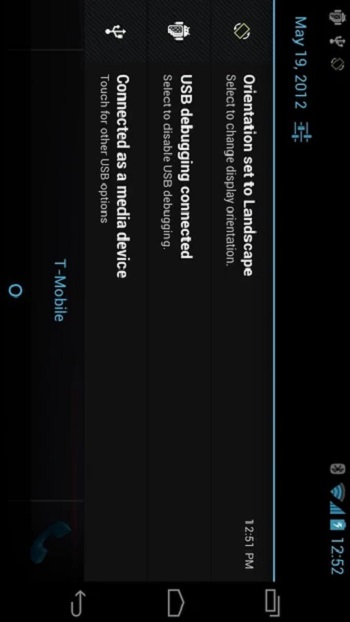
Instead of waiting for your device to figure it out, Set Orientation gives you full control. You can lock your screen in portrait mode when reading or flip it into landscape when watching a movie or playing a game. The app works quietly in the background and can be accessed directly from your notification bar with just a tap.
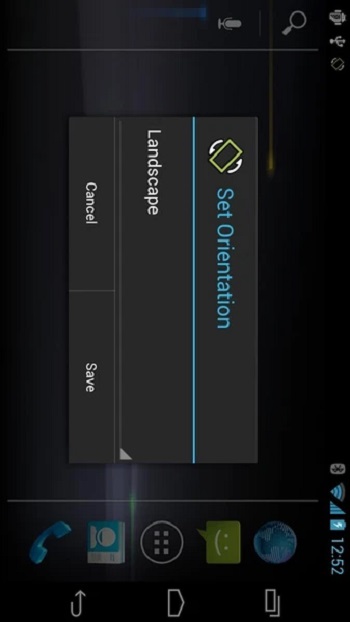
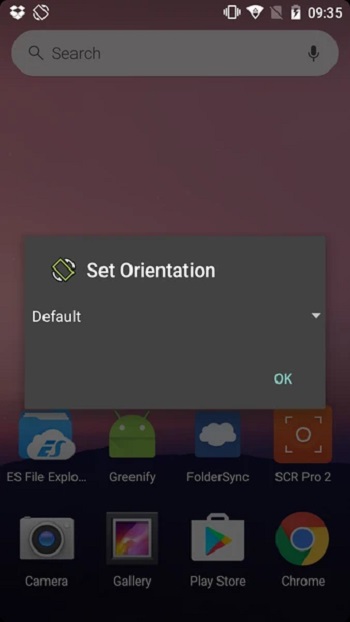
The setup is simple. Once installed, you can choose the rotation type you want — portrait, landscape, or automatic — and apply it instantly. It doesn’t need internet access, which means your data stays private and safe. Plus, it takes up very little storage and memory, so even older Android devices can handle it easily.
One thing users appreciate is how practical it feels on Android TVs. Apps or videos that open in portrait mode can be a hassle on larger screens. With this tool, you can switch the display to a proper landscape view and actually enjoy what you’re watching.
However, there’s a small trade-off. Since Set Orientation overrides your system’s default behavior, some apps might not display perfectly in forced modes. Still, for most users, that’s a fair compromise for the convenience it provides.
If you often use your Android phone or TV for gaming, streaming, or browsing, this app fits right in. It’s made for people who want simple control without technical complexity — just a reliable way to make their screens behave the way they want.
FAQs Set Orientation
What is Set Orientation?
+
Set Orientation is an Android app that lets users manually rotate or lock their screen when the device sensor doesn’t work properly.
How does Set Orientation work?
+
It allows users to force the screen into portrait or landscape mode through a simple tap from the notification panel.
Is Set Orientation safe to use?
+
Yes, it doesn’t collect personal data or need internet access, making it secure and privacy-friendly.
Can I use Set Orientation on Android TV?
+
Yes, it’s useful for Android TVs that open apps or videos in portrait mode, helping set the screen in landscape.
Does Set Orientation work on all Android devices?
+
It works on most Android devices and TVs, especially helpful if your screen rotation sensor is broken.
Discover More Interesting Apps
-

Theick.io
v0.4.8
29 MB
Updated -
Mod
Remote Mouse Pro
v5.306
63 MB
Updated -
Mod
TLS Tunnel
v7.2.6
27.95 Mb
Updated -
Ace Stream
v3.2.19.5
107.59 Mb
Updated -
90 FPS
v11.4
16.02 Mb
Updated -
Mod
Medix
v1.4.0
69.80 Mb
Updated -
Mod
Multi App
v2.7.0
37.47 Mb
Updated -
Sophon
v1.0.54.1
65.80 Mb
Updated -
Mod
SWAP - No ROOT
vv4.8.8
8.41 Mb
Updated -
Ultimate USB
v10.1.1
71.06 Mb
Updated










Share Your Thoughts